

Organization
Invite a member
Add a teammate to your organization by email.
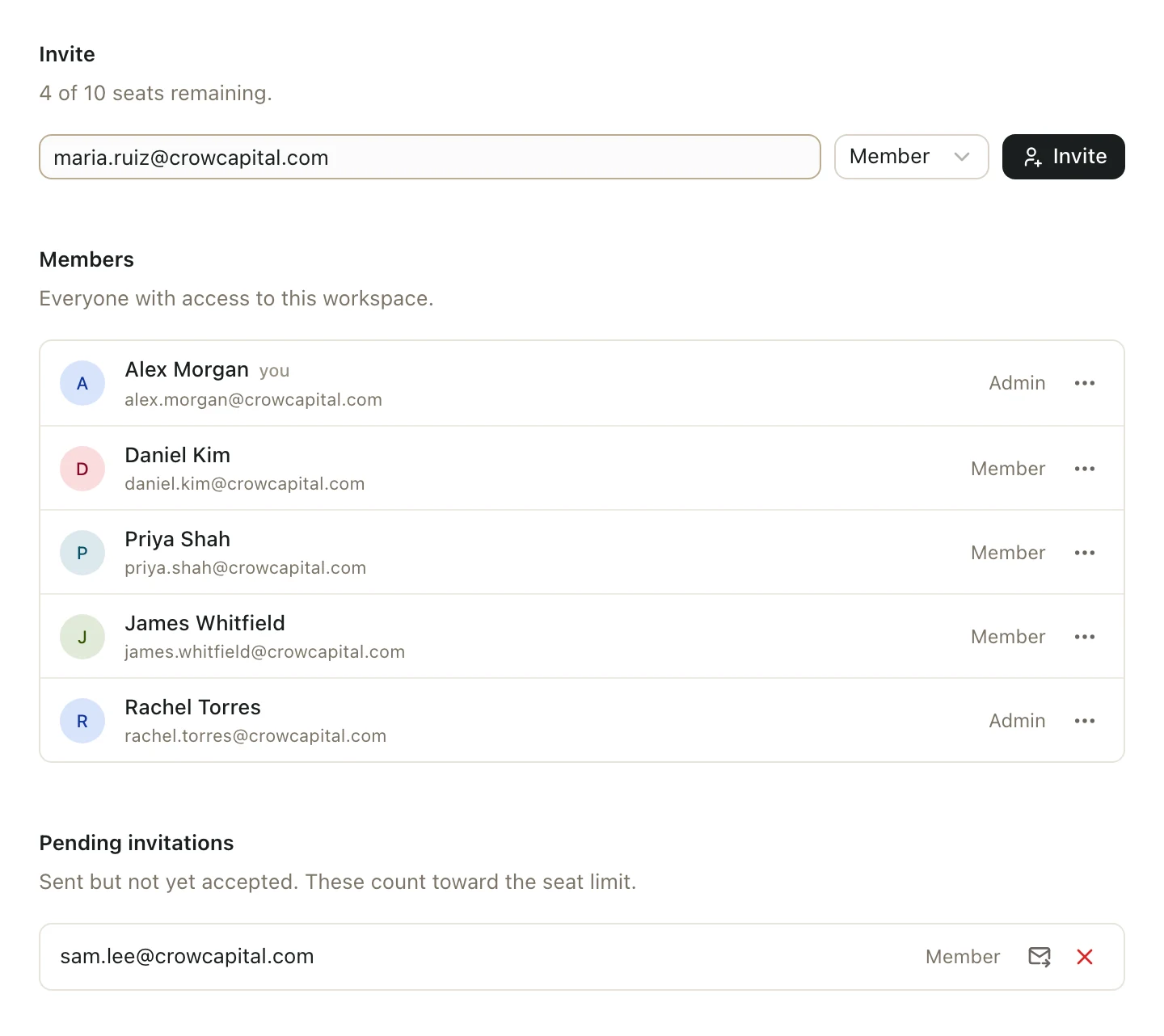
- Click your name at the bottom of the left sidebar, then Settings.
- Under Organization, click Members.
- In Invite, type their email address.
- Choose Member or Admin. See Make someone an admin for the difference.
- Click Invite.
They get an email with a link to join. The invitation lasts 7 days.
Resend or cancel an invitation
Unaccepted invitations are listed under Pending invitations. Click Resend invitation next to an invitation to resend it, or Revoke invitation to cancel it.
After they join
New members can open spaces for Everyone at your firm right away. To give them access to a deal, add them to that space.
Good to know
- Only organization admins can invite people.
- Invite shows how many seats you have left. Pending invitations count toward your seats. See How many people can I invite?