

Files
Move a file to another space
Move a deck, sheet, or file to a different folder or space.
-
Click Documents in the left sidebar and find the item.
-
Right-click it, or click More actions next to it.
-
Choose Move to Folder.
-
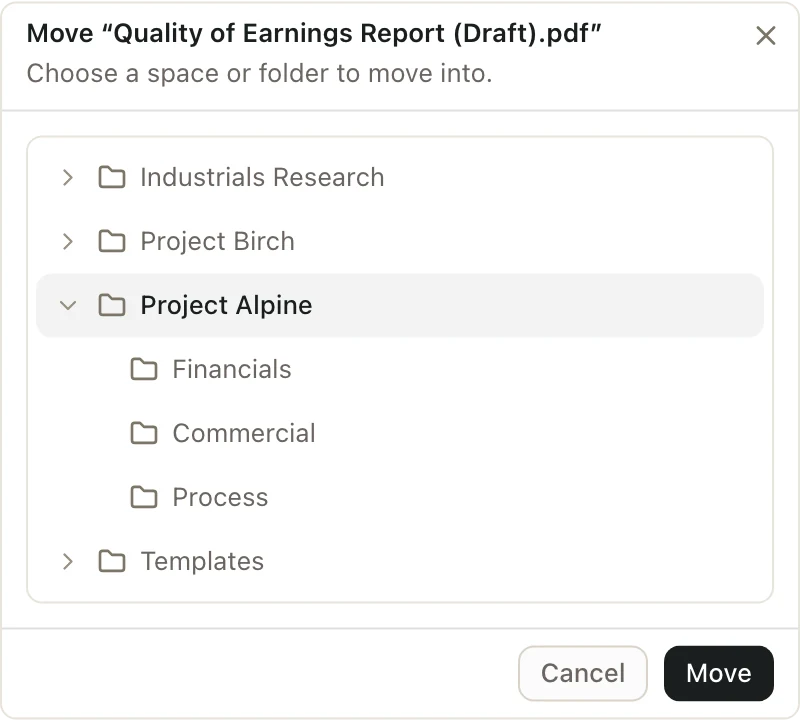
Pick a space, or a folder inside one. The list shows every space you can edit.

-
Click Move.
You can also drag the item from the list onto a space or folder on the left.
Move several at once
- Select the items. Hold CommandCtrl and click each one, or hold ShiftShift to select a range. You can also drag a box around them.
- Click Move in the bar at the bottom of the screen. Or drag them onto a space or folder on the left.
- Pick where they go and click Move.
Who can see it after the move
Access comes from the space. When you move something to a new space, people in the new space can open it. People who are only in the old space can't anymore.
Pitchcrow chats about a deck or sheet move with it.
Good to know
- You need to be an Admin or Editor in both spaces.
- You can't move a deck or sheet to another space while Pitchcrow is working on it. Wait for Pitchcrow to finish, then try again.